AI Code Review Agents: Saving Hours on Pull Requests (My Workflow)
I used to spend two hours every morning reviewing pull requests. Coffee in hand, cabin quiet except for the woodstove popping, just grinding through diffs...
I used to spend two hours every morning reviewing pull requests. Coffee in hand, cabin quiet except for the woodstove popping, just grinding through diffs line by line. Some PRs were trivial — a renamed variable, a bumped dependency version. Others were 800-line monsters that required holding an entire system's architecture in my head while scanning for the one subtle bug hiding in a refactored utility function.
That was my routine for years. And I was pretty good at it. But I was also burning my best cognitive hours on work that, frankly, a machine can do better than me in about 90% of cases.
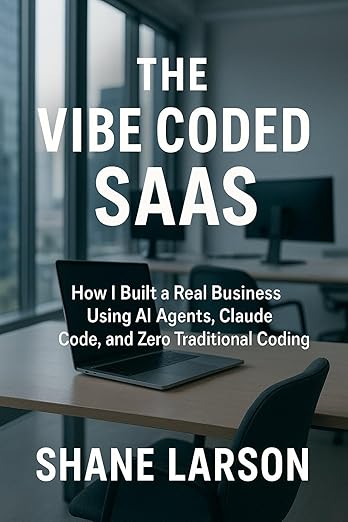
The Vibe Coded SaaS
From idea to paying customers using AI coding. Real workflows, tool comparisons, failures, and wins. Practical guide for building SaaS with Claude Code.
Learn MoreToday, AI agents handle first-pass code review on every pull request in my projects. I still review everything before it merges. But instead of reading every line cold, I'm reading an AI's annotated analysis, jumping straight to the parts that actually need human judgment. My review time dropped from two hours to about thirty minutes. And I'm catching more bugs, not fewer.
Here's exactly how I set it up, what works, what doesn't, and what I wish someone had told me before I started.
Why AI Code Review Actually Works (Unlike Most AI Hype)
Code review is one of those tasks that sits in a sweet spot for current AI capabilities. It's structured — you're looking at diffs with clear before and after states. It's pattern-heavy — most bugs fall into well-known categories. And it's context-bounded — you're evaluating a specific change against a specific codebase, not generating something from nothing.
Compare that to, say, asking an LLM to architect a greenfield system from scratch (spoiler: that usually goes badly — I wrote a whole separate article about that). Code review is constrained enough that AI excels at it while being tedious enough that humans hate doing it. That's the perfect automation target.
The other thing that makes AI code review practical is that false positives are cheap. If the AI flags something incorrectly, I spend three seconds reading the flag and dismissing it. If it catches a real bug I would have missed, it potentially saves hours of debugging in production. The asymmetry is massively in favor of over-flagging.
The Tools I've Actually Used
I've tried several AI code review tools over the past year. Here's my honest assessment of each.
Claude Code
This is my primary tool for deep code review. I use Claude Code directly in my terminal, pointing it at specific PRs or diffs. The context window is large enough to hold substantial code changes, and the reasoning quality is genuinely impressive for architectural-level review.
My typical workflow looks like this:
git diff main...feature-branch > /tmp/review.diff
Then I feed that diff to Claude Code with a prompt tailored to the project. I keep a review prompt template that includes our coding standards, known problem areas, and specific things to watch for.
What Claude catches well: logic errors, race conditions, missing error handling, security issues like unsanitized inputs, and inconsistencies with existing patterns in the codebase. It's particularly good at spotting when a new function duplicates logic that already exists elsewhere.
What it misses: performance implications that require understanding production traffic patterns, business logic correctness (it doesn't know what your product is supposed to do), and subtle issues with third-party library version compatibility.
GitHub Copilot Pull Request Review
GitHub's built-in Copilot PR review is the easiest to set up — it's just a toggle in your repository settings. It automatically comments on PRs with suggestions.
I used it for about three months. It's decent for catching obvious issues: unused imports, potential null reference errors, missing type annotations. The convenience factor is real — zero configuration, it just shows up on your PRs.
But the depth is limited. It rarely catches architectural problems. It tends to make style suggestions that conflict with your existing codebase conventions. And the comments can be noisy — on a large PR, you might get twenty comments where only two are genuinely useful.
I still have it enabled as a lightweight first layer, but it's not my primary review tool.
CodeRabbit
CodeRabbit is the most purpose-built tool I've tried for AI code review, and it shows. It integrates directly with GitHub and provides structured review comments on every PR automatically.
The setup is straightforward. You install the GitHub App, configure your repository, and CodeRabbit starts reviewing PRs. You can customize its behavior with a .coderabbit.yaml file in your repo:
reviews:
  request_changes_workflow: false
  high_level_summary: true
  poem: false
  review_status: true
  path_filters:
    - "!**/*.md"
    - "!**/package-lock.json"
language: en
early_access: true
I set request_changes_workflow to false because I don't want automated tools blocking merges — that's still a human decision. And I filter out markdown files and lock files because those reviews are pure noise.
What impressed me about CodeRabbit: it provides a high-level summary of what the PR does, then drills into specific concerns. It understands the relationship between files in a PR, so it can flag when you modify a function in one file but forget to update its callers in another. It also tracks review history, so it learns your codebase patterns over time.
The main downside is cost. For a solo developer or small team, it's another subscription. For a team that does heavy PR throughput, it pays for itself in review time savings within a week.
My GitHub Actions Integration
Here's the part that took me a while to get right. I wanted AI code review to run automatically on every PR without me having to remember to trigger anything. GitHub Actions is the obvious integration point.
Here's a simplified version of my workflow:
name: AI Code Review
on:
  pull_request:
    types: [opened, synchronize]

jobs:
  ai-review:
    runs-on: ubuntu-latest
    if: github.event.pull_request.draft == false
    steps:
      - name: Checkout code
        uses: actions/checkout@v4
        with:
          fetch-depth: 0

      - name: Get changed files
        id: changed
        run: |
          git diff --name-only origin/${{ github.base_ref }}...HEAD > changed_files.txt
          echo "files=$(cat changed_files.txt | tr '\n' ' ')" >> $GITHUB_OUTPUT

      - name: Run AI Review
        env:
          ANTHROPIC_API_KEY: ${{ secrets.ANTHROPIC_API_KEY }}
          GITHUB_TOKEN: ${{ secrets.GITHUB_TOKEN }}
        run: |
          node scripts/ai-review.js \
            --base origin/${{ github.base_ref }} \
            --files "${{ steps.changed.outputs.files }}"
The ai-review.js script is where the actual work happens. It collects the diffs, sends them to Claude's API with a structured prompt, parses the response, and posts comments back to the PR using the GitHub API.
A few things I learned the hard way:
Don't review everything. Filter out generated files, lock files, and binary assets. I also skip files over 500 lines of changes — those need human review anyway because the PR is too large.
Set a cost ceiling. Each API call costs money. I cap my review at 10 files per PR and set a maximum token budget. If a PR is bigger than that, I get a summary comment instead of line-by-line review.
Don't block merges on AI review. The workflow posts comments but never sets a required check status. AI review is advisory. The moment you make it a gate, you'll spend more time arguing with false positives than you saved.
Real Examples: What the AI Actually Catches
Let me share some concrete examples from my own projects.
The Race Condition I Missed
I had a PR that added caching to a database query layer. The code looked fine on visual inspection. The AI flagged this:
"The cache write at line 47 occurs after the response is sent at line 42. If a second request arrives between lines 42 and 47, it will trigger another database query because the cache hasn't been populated yet. Consider writing to cache before sending the response, or use a cache-aside pattern with a mutex."
It was right. Under load, this would have caused a thundering herd problem. I'd been staring at the code and completely missed the ordering issue because each line individually looked correct.
The SQL Injection Nobody Saw
A contributor submitted a PR with a search feature. The code used parameterized queries everywhere — except in one helper function that built a dynamic ORDER BY clause using string concatenation. The AI caught it immediately:
"Line 23 constructs the ORDER BY clause via string concatenation with user input. While the main query uses parameterized values, the sort parameter is interpolated directly. This is vulnerable to SQL injection."
This is exactly the kind of bug that passes human review because you see parameterized queries and your brain checks the "SQL injection: handled" box. The AI doesn't have that cognitive shortcut. It evaluates every string interpolation independently.
The Memory Leak Pattern
A PR introduced an event listener registration inside a loop. Classic memory leak pattern. I probably would have caught this one myself, but the AI caught it faster and with a clearer explanation of why it was a problem:
"Each iteration of the loop on line 31 registers a new event listener without removing previous ones. After n iterations, there will be n active listeners. Consider using
removeEventListenerbefore adding, or move the listener registration outside the loop."
The False Positives (And Why They Matter Less Than You Think)
The AI gets things wrong. Regularly. Here are the most common false positive patterns I see:
Style disagreements. The AI will suggest refactoring a perfectly readable function into a more "idiomatic" pattern. These aren't wrong, exactly — they're just opinions that don't match our codebase conventions. I dismiss these instantly.
Overzealous security warnings. Flagging every use of eval() or dangerouslySetInnerHTML even when it's been deliberately chosen and properly sandboxed. Context matters, and the AI sometimes lacks it.
Performance suggestions that don't matter. "Consider using a Map instead of an Object for lookups." Sure, for a million entries. For the 15-item configuration object we're dealing with here? It doesn't matter.
Suggesting libraries we don't use. The AI sometimes suggests replacing custom code with a third-party library. That might be good advice in isolation, but adding a dependency has costs that the AI doesn't weigh — maintenance burden, supply chain risk, bundle size.
Here's why false positives are manageable: they're fast to dismiss. I spend maybe two seconds reading a false positive and moving on. The cost of false positives is linear and small. The cost of a missed real bug is unpredictable and potentially enormous. I'll take a 30% false positive rate if the true positive catch rate is high.
What I'd Tell You Before You Set This Up
Start with a single tool, not three. I made the mistake of running multiple AI review tools simultaneously. The noise was overwhelming. Pick one, learn its patterns, tune your configuration, and only add another if you have a specific gap.
Write a project-specific prompt. Generic AI review is okay. AI review with context about your project's architecture, coding standards, known problem areas, and deployment constraints is dramatically better. I maintain a REVIEW_CONTEXT.md file that gets included in every review prompt.
Review the reviewer. For the first two weeks, audit every AI comment against your own judgment. You'll learn what it's good at and what it consistently gets wrong. This calibration period is essential.
Don't replace human review entirely. AI handles the mechanical parts — did you handle errors, are there obvious bugs, does this match existing patterns. Humans handle the judgment parts — is this the right approach, does this make the system more or less maintainable, does this actually solve the problem it claims to solve.
Track your metrics. I log how many AI comments I accept, dismiss, and which ones caught real bugs. After three months, I had enough data to confidently say: the AI catches about 15-20% of bugs that I would have missed, and the false positive rate is around 25-30%. That's a good trade.
The Bigger Picture
AI code review isn't going to replace senior engineers. It's going to replace the most tedious part of a senior engineer's job and let them focus on the parts that actually require experience and judgment.
I spent thirty years building the pattern recognition that lets me look at a system and know something is wrong before I can even articulate why. AI review handles the stuff that doesn't require that — the mechanical checking, the pattern matching against known bug categories, the "did you forget to handle the error case" verification.
Together, we're a better reviewer than either of us alone. My PR reviews are faster, more thorough, and more consistent than they've ever been. And I get to spend my best morning hours on architecture and design instead of grinding through diffs.
That's not AI replacing human judgment. That's AI freeing up human judgment for the work that actually deserves it.
Shane Larson is a software engineer and technical writer based in Caswell Lakes, Alaska. He runs Grizzly Peak Software and has been reviewing code since before pull requests were invented. For more practical engineering insights, check out the Grizzly Peak Software articles.


