Prompt Engineering for Alaskan Winters: Offline-First AI Tools That Work Without Internet
Last January, a snowstorm knocked out my internet for four days. Not four hours — four days. The satellite dish on the roof of my cabin in Caswell Lakes...
Last January, a snowstorm knocked out my internet for four days. Not four hours — four days. The satellite dish on the roof of my cabin in Caswell Lakes was buried under ice, the backup Starlink terminal was struggling with wind-driven snow, and my cellular hotspot was showing exactly zero bars of signal.
Most developers would consider that a forced vacation. I considered it a Tuesday.
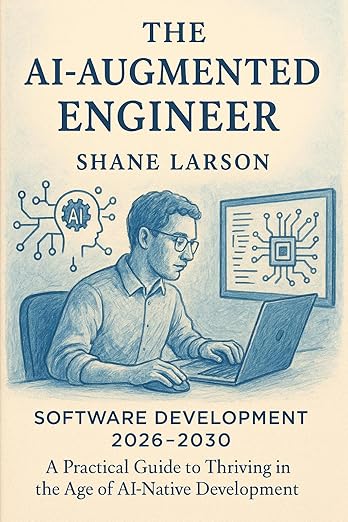
The AI Augmented Engineer: Software Development 2026-2030: A Practical Guide to Thriving in the Age of AI-Native Development
By 2030, 0% of IT work will be done without AI. Data-backed career roadmap for software engineers. No hype, no doom. Practical strategies that work.
Learn MoreWhen you live in Alaska and build software for a living, you learn very quickly that "cloud-first" is a luxury, not a given. And when your entire AI workflow depends on API calls to OpenAI or Anthropic, losing internet doesn't just slow you down — it stops you completely.
So I built an offline-first AI workflow. It's not perfect. It's not as powerful as GPT-4o or Claude Opus. But it works when the snow is flying sideways and the nearest cell tower might as well be on the moon. Here's exactly how I set it up and what I learned along the way.
The Problem With Cloud-Dependent AI
Let me be blunt: if you're a developer who relies on cloud AI services, you have a single point of failure that you're probably not thinking about. And I don't just mean Alaskan snowstorms.
Think about all the times you've seen "API rate limit exceeded" or "service temporarily unavailable" from OpenAI. Think about the times Anthropic's servers were under heavy load during a product launch. Think about working on an airplane, in a rural area, or in any building with terrible WiFi.
Cloud AI is incredible when it works. But it's completely useless when it doesn't.
For me, the breaking point wasn't dramatic. It was a Tuesday afternoon in November 2025 when I was deep in a coding session on AutoDetective.ai, using Claude to help refactor a data pipeline, and the internet just… stopped. Mid-conversation. Mid-thought. I sat there staring at a spinning cursor for ten minutes before I accepted that I was done for the day.
That was the last time I let that happen.
The Local AI Landscape in 2026
The good news is that local AI has gotten remarkably capable in the past year. The bad news is that there are about fifteen different ways to run models locally, and most of the tutorials online assume you have a $3,000 GPU and a computer science degree.
I don't have a $3,000 GPU. I have a decent desktop with 32GB of RAM and an NVIDIA RTX 3070, and a laptop with 16GB of RAM and integrated graphics. Both run Windows. That's what most working developers actually have, and that's what I optimized for.
Here are the three tools that form the backbone of my offline AI setup:
Ollama
This is the one I reach for first, every time. Ollama is a command-line tool that makes running local language models almost as easy as pulling a Docker image. Install it, run a single command, and you've got a local model running with an API that's compatible with OpenAI's format.
# Install Ollama (Windows, Mac, or Linux)
# Download from ollama.com, then:

# Pull a model
ollama pull llama3.1:8b

# Run it
ollama run llama3.1:8b

# Or start the API server
ollama serve
The API compatibility is the killer feature. I have scripts that talk to OpenAI's API, and switching them to hit Ollama's local endpoint is usually a one-line change:
var http = require('http');

function queryLocalModel(prompt, callback) {
    var postData = JSON.stringify({
        model: 'llama3.1:8b',
        messages: [{ role: 'user', content: prompt }],
        stream: false
    });

    var options = {
        hostname: 'localhost',
        port: 11434,
        path: '/api/chat',
        method: 'POST',
        headers: {
            'Content-Type': 'application/json',
            'Content-Length': Buffer.byteLength(postData)
        }
    };

    var req = http.request(options, function(res) {
        var data = '';
        res.on('data', function(chunk) { data += chunk; });
        res.on('end', function() {
            var parsed = JSON.parse(data);
            callback(null, parsed.message.content);
        });
    });

    req.on('error', function(err) { callback(err); });
    req.write(postData);
    req.end();
}

queryLocalModel('Explain how to handle error boundaries in Express.js', function(err, response) {
    if (err) {
        console.error('Local model error:', err.message);
        return;
    }
    console.log(response);
});
That runs entirely on your machine. No internet required. No API key. No rate limits. No usage charges.
LM Studio
If Ollama is the command-line power tool, LM Studio is the GUI equivalent. It gives you a ChatGPT-style interface for local models, with a model browser that lets you search and download models from Hugging Face without touching the command line.
I use LM Studio primarily on my laptop when I want a conversational interface. It's great for the kind of back-and-forth brainstorming I normally do with Claude — rubber-ducking architectural decisions, exploring edge cases, working through a design problem.
The standout feature is the local server mode. LM Studio can expose an OpenAI-compatible API endpoint, which means any tool that works with OpenAI's API can be pointed at your local machine instead. I've used this to keep VS Code extensions working during outages.
llama.cpp
This is the low-level option. llama.cpp is the C/C++ inference engine that both Ollama and LM Studio are built on top of. You'd only use it directly if you need maximum performance tuning or you're building something custom.
I used llama.cpp directly exactly once — when I needed to integrate local inference into a Node.js tool I was building and wanted full control over the quantization settings. For day-to-day development work, Ollama and LM Studio are all you need.
Which Models Actually Run on Consumer Hardware
This is where most guides get it wrong. They'll tell you to run Llama 3.1 70B and conveniently forget to mention that it needs 40+ GB of VRAM to run at reasonable speeds. Here's what actually works on normal hardware, based on months of real testing:
The Sweet Spot: 7B-8B Parameter Models
On my RTX 3070 (8GB VRAM), these models run at 15-30 tokens per second, which is perfectly usable for development work:
- Llama 3.1 8B — Best general-purpose model at this size. Good at code, good at explanation, good at following instructions. This is my daily driver for offline work.
- CodeLlama 7B — Purpose-built for code generation. Better than Llama 3.1 8B at pure code tasks, worse at natural language. I use it when I'm heads-down writing code.
- Mistral 7B — Fast and surprisingly capable. Sometimes produces better reasoning chains than Llama at the same size.
- Deepseek Coder V2 Lite — Excellent at code generation specifically. Worth having alongside Llama as a second opinion.
The Stretch: 13B-14B Parameter Models
These need quantization (Q4KM or Q5KM) to fit in 8GB of VRAM. They run slower — maybe 8-15 tokens per second — but the quality bump is noticeable:
- Llama 3.1 14B (when quantized) — Meaningfully better reasoning than the 8B version. I use this when I need more nuanced code review or architecture discussion.
- CodeLlama 13B — The best offline code assistant I've found at this size class.
What About Bigger Models?
If you have 16GB+ of VRAM (RTX 4090, for instance), you can run 33B or even 70B models with heavy quantization. But honestly? For development work, the 8B models handle 80% of what I need. The remaining 20% is the stuff where I really do need Claude or GPT-4o, and I save those tasks for when the internet is working.
CPU-Only (Laptop Fallback)
On my 16GB RAM laptop with no dedicated GPU, I can run 7B models on CPU at about 3-5 tokens per second. It's slow. It's also infinitely faster than staring at a "no internet connection" error. For this use case, Mistral 7B with Q4KM quantization is my go-to — it's the best quality-to-speed ratio I've found for CPU inference.
My Real Workflow: Switching Between Cloud and Local
Here's the system I actually use every day, not just during outages. I built a small Node.js utility that acts as a routing layer between cloud and local AI:
var http = require('http');
var https = require('https');

var config = {
    preferLocal: false,
    localEndpoint: 'http://localhost:11434',
    localModel: 'llama3.1:8b',
    cloudProvider: 'anthropic',
    cloudModel: 'claude-sonnet-4-20250514',
    cloudApiKey: process.env.ANTHROPIC_API_KEY || ''
};

function checkInternetConnection(callback) {
    var req = https.get('https://api.anthropic.com', function(res) {
        callback(true);
    });
    req.on('error', function() {
        callback(false);
    });
    req.setTimeout(3000, function() {
        req.destroy();
        callback(false);
    });
}

function checkLocalModel(callback) {
    var req = http.get(config.localEndpoint + '/api/tags', function(res) {
        var data = '';
        res.on('data', function(chunk) { data += chunk; });
        res.on('end', function() {
            try {
                var models = JSON.parse(data);
                var available = models.models && models.models.some(function(m) {
                    return m.name.indexOf(config.localModel) === 0;
                });
                callback(available);
            } catch(e) {
                callback(false);
            }
        });
    });
    req.on('error', function() { callback(false); });
}

function routeQuery(prompt, options, callback) {
    if (typeof options === 'function') {
        callback = options;
        options = {};
    }

    var forceLocal = options.forceLocal || config.preferLocal;

    if (forceLocal) {
        checkLocalModel(function(localAvailable) {
            if (localAvailable) {
                console.log('[Router] Using local model:', config.localModel);
                queryLocal(prompt, callback);
            } else {
                console.log('[Router] Local model unavailable, trying cloud...');
                queryCloud(prompt, callback);
            }
        });
        return;
    }

    checkInternetConnection(function(online) {
        if (online) {
            console.log('[Router] Using cloud model:', config.cloudModel);
            queryCloud(prompt, callback);
        } else {
            console.log('[Router] Offline. Falling back to local model.');
            checkLocalModel(function(localAvailable) {
                if (localAvailable) {
                    queryLocal(prompt, callback);
                } else {
                    callback(new Error('No AI models available. Check Ollama and internet.'));
                }
            });
        }
    });
}

function queryLocal(prompt, callback) {
    var postData = JSON.stringify({
        model: config.localModel,
        messages: [{ role: 'user', content: prompt }],
        stream: false
    });

    var options = {
        hostname: 'localhost',
        port: 11434,
        path: '/api/chat',
        method: 'POST',
        headers: {
            'Content-Type': 'application/json',
            'Content-Length': Buffer.byteLength(postData)
        }
    };

    var req = http.request(options, function(res) {
        var data = '';
        res.on('data', function(chunk) { data += chunk; });
        res.on('end', function() {
            try {
                var parsed = JSON.parse(data);
                callback(null, {
                    content: parsed.message.content,
                    model: config.localModel,
                    source: 'local'
                });
            } catch(e) {
                callback(e);
            }
        });
    });
    req.on('error', function(err) { callback(err); });
    req.write(postData);
    req.end();
}

function queryCloud(prompt, callback) {
    var postData = JSON.stringify({
        model: config.cloudModel,
        max_tokens: 4096,
        messages: [{ role: 'user', content: prompt }]
    });

    var options = {
        hostname: 'api.anthropic.com',
        port: 443,
        path: '/v1/messages',
        method: 'POST',
        headers: {
            'Content-Type': 'application/json',
            'x-api-key': config.cloudApiKey,
            'anthropic-version': '2023-06-01',
            'Content-Length': Buffer.byteLength(postData)
        }
    };

    var req = https.request(options, function(res) {
        var data = '';
        res.on('data', function(chunk) { data += chunk; });
        res.on('end', function() {
            try {
                var parsed = JSON.parse(data);
                callback(null, {
                    content: parsed.content[0].text,
                    model: config.cloudModel,
                    source: 'cloud'
                });
            } catch(e) {
                callback(e);
            }
        });
    });
    req.on('error', function(err) { callback(err); });
    req.write(postData);
    req.end();
}

module.exports = { routeQuery: routeQuery, config: config };
The logic is simple: try cloud first, fall back to local if the internet is down. Or flip a flag and prefer local for privacy-sensitive work or when I want to save on API costs.
In practice, I use this routing layer for:
- Code generation and refactoring — Cloud when available, local as fallback
- Commit message generation — Always local, no reason to send diffs to the cloud
- Documentation drafting — Cloud for final versions, local for rough drafts
- Log analysis and debugging — Local, especially when logs might contain sensitive data
Prompt Engineering Differences: Cloud vs. Local
Here's something nobody tells you: prompts that work great with Claude or GPT-4o often produce garbage with local 7B models. The models are smaller and less capable, so you need to adapt your prompting strategy.
Be More Explicit
Cloud models are great at inferring intent. Local models need you to spell it out.
Cloud prompt: "Review this Express route handler for issues"
Local prompt: "You are a Node.js code reviewer. Review the following Express.js route handler. List each issue you find with: 1) the line or section with the problem, 2) what the problem is, 3) how to fix it. Here is the code:"
Use Fewer Abstractions
Don't ask a 7B model to "think step by step" or "reason about trade-offs." Instead, break your request into concrete sequential steps.
Expect Shorter Context Windows
Most quantized local models work best with 2K-4K token inputs. If you're feeding in a whole file for review, break it into sections. I wrote a simple chunking utility:
function chunkCode(code, maxLines) {
    maxLines = maxLines || 50;
    var lines = code.split('\n');
    var chunks = [];
    for (var i = 0; i < lines.length; i += maxLines) {
        chunks.push(lines.slice(i, i + maxLines).join('\n'));
    }
    return chunks;
}

function reviewCodeInChunks(code, callback) {
    var chunks = chunkCode(code, 40);
    var results = [];
    var index = 0;

    function processNext() {
        if (index >= chunks.length) {
            callback(null, results.join('\n\n---\n\n'));
            return;
        }

        var prompt = 'Review this JavaScript code section (' + (index + 1) +
            ' of ' + chunks.length + '). List any bugs, security issues, or ' +
            'performance problems. Code:\n\n```javascript\n' +
            chunks[index] + '\n```';

        routeQuery(prompt, { forceLocal: true }, function(err, response) {
            if (err) {
                results.push('Error reviewing chunk ' + (index + 1) + ': ' + err.message);
            } else {
                results.push('## Section ' + (index + 1) + '\n' + response.content);
            }
            index++;
            processNext();
        });
    }

    processNext();
}
Keep a Prompt Library
I maintain a folder of tested prompts that work reliably with my local models. When the internet goes out, I'm not fumbling with prompt engineering — I'm pulling from a library of prompts I've already validated offline.
The Honest Assessment: What Works and What Doesn't
After six months of running this hybrid setup, here's my honest take:
Works great offline:
- Code completion and generation for straightforward tasks
- Explaining code and concepts
- Writing boilerplate (routes, models, test scaffolds)
- Commit messages and changelog entries
- Simple refactoring suggestions
- Rubber-duck debugging conversations
Works okay offline (with adjusted expectations):
- Code review (catches obvious issues, misses subtle ones)
- Architecture brainstorming (useful but needs more guidance)
- Technical writing drafts (rough drafts only, need heavy editing)
Still needs cloud AI:
- Complex multi-file refactoring
- Nuanced code review across large codebases
- Anything requiring deep reasoning about system-level interactions
- Production-quality content generation
- Tasks requiring very large context windows
The 8B models are roughly equivalent to what GPT-3.5 was in late 2023. That's not an insult — GPT-3.5 was genuinely useful for a lot of development tasks. It's just not the frontier, and you need to adjust your expectations accordingly.
Setting Up Your Own Offline AI Kit
If you want to replicate my setup, here's the minimum viable offline AI workstation:
- Install Ollama — Download from ollama.com, install, run
ollama pull llama3.1:8b - Pull backup models —
ollama pull codellama:7bandollama pull mistral:7b - Install LM Studio — For when you want a GUI chat interface
- Set up the routing layer — Use the script above or build your own
- Test everything offline — Turn off your WiFi and make sure it all works before you need it
Total cost: $0 in software. Whatever hardware you already have. Maybe an afternoon of setup and testing.
The Alaska Factor
I'll be honest — most developers reading this probably don't lose internet for days at a time. But I'd argue that building offline resilience into your AI workflow isn't just an Alaska thing.
It's about not having a single point of failure in your most important productivity tool. It's about being able to work on an airplane, in a coffee shop with terrible WiFi, or during an AWS outage that takes half the internet with it. It's about owning your tools instead of renting them.
And when the next snowstorm buries my satellite dish, I'll be writing code by the woodstove with Ollama humming along on my desktop, completely unbothered.
That's worth the afternoon of setup.
Shane Larson is a software engineer with 30+ years of experience. He builds things at Grizzly Peak Software and AutoDetective.ai from a cabin in Caswell Lakes, Alaska — internet permitting.


