The Death of Traditional IDEs? My 2026 Stack Reveal
I haven't opened IntelliJ in six months. I haven't touched WebStorm since October. The last time I launched a full-fat IDE with a project wizard, a...
I haven't opened IntelliJ in six months. I haven't touched WebStorm since October. The last time I launched a full-fat IDE with a project wizard, a built-in database browser, and seventeen sidebar panels I never use, I remember thinking: why am I paying for this?
That's not a knock on JetBrains. They make exceptional software. But something fundamental has shifted in how I write code in 2026, and I think a lot of experienced developers are feeling the same thing without quite articulating it. The traditional IDE — the monolithic, everything-in-one-window, configure-it-for-three-hours-before-writing-a-line-of-code IDE — is losing relevance. Not because it got worse. Because everything around it got better.
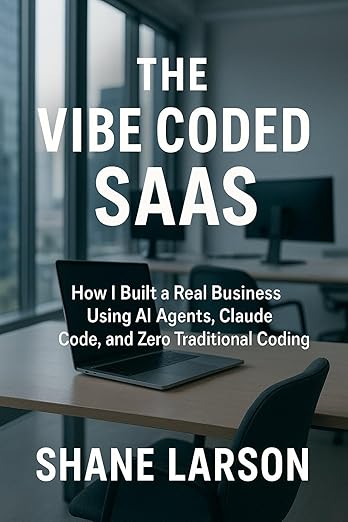
The Vibe Coded SaaS
From idea to paying customers using AI coding. Real workflows, tool comparisons, failures, and wins. Practical guide for building SaaS with Claude Code.
Learn MoreLet me tell you what I'm actually using, and why.
My 2026 Development Stack
Here's the real, unvarnished list. No aspirational tools I installed once and forgot about. This is what I open every day.
Editor: VS Code. That's it. Not VS Code with 47 extensions trying to turn it into Eclipse. VS Code with maybe a dozen extensions, most of which I could live without.
AI Coding Assistant: Claude Code, running in the terminal. This is the single biggest change to my workflow in the last two years. I'll come back to this.
Terminal: Windows Terminal with bash. I run most things from here — git, npm, deployment scripts, database queries. The terminal has become my primary interface for everything that isn't editing a file.
Version Control: Git from the command line. I stopped using GUI git tools years ago and never looked back.
Databases: TablePlus when I need to visually inspect data. psql and mongo from the terminal for everything else.
Deployment: DigitalOcean App Platform, configured via YAML and the doctl CLI. GitHub pushes trigger deploys.
Browser: Firefox Developer Edition for front-end work. Chrome DevTools when Firefox doesn't cut it.
That's the stack. No IDE costing $250/year. No project-type-specific tooling. No waiting 45 seconds for a workspace to index.
What Changed
Two years ago, my stack looked very different. I was running WebStorm for JavaScript projects, occasionally PyCharm for Python, DataGrip for database work, and VS Code as my "lightweight" option for quick edits. I had a JetBrains All Products subscription and felt like I was getting my money's worth.
The shift happened gradually, then all at once. And the catalyst was AI-assisted coding tools moving into the terminal.
When Claude Code became part of my daily workflow, I started noticing something: the features I was relying on the IDE for were exactly the features the AI handled better. Let me be specific.
Intelligent code completion? Claude Code doesn't just complete the line — it understands what I'm trying to build and writes the whole function. It sees the context of the full file, the project structure, the patterns I've established. IntelliSense completing a method name feels quaint by comparison.
Refactoring tools? I used to rely on IDE refactoring — rename symbol, extract method, move class. Now I describe what I want restructured in plain English, and the AI does it across multiple files simultaneously. More accurately and with fewer missed references than the mechanical refactoring tools, honestly.
Error detection? The IDE shows me red squiggly lines. Claude Code explains why the error exists, what caused it, and offers three different ways to fix it depending on what I'm optimizing for.
Documentation lookup? I used to hover over functions to see their signatures. Now I ask what a function does and get a contextual explanation of how it's used in my specific codebase.
One by one, the reasons I needed a heavyweight IDE evaporated.
What Traditional IDE Features Are Becoming Irrelevant
I'm going to be blunt here, and some people aren't going to like it.
Project Wizards and Scaffolding
"Create New Spring Boot Project." "Initialize React App." "New Django Project with PostgreSQL."
These wizards were genuinely useful when remembering boilerplate was part of the job. In 2026, I describe what I want to build and the AI scaffolds it — not from a template, but from understanding. The result is closer to what I actually need because it's generated contextually rather than from a generic template with forty files I'll delete.
Built-in Build System Integration
IDEs spent years building deep integration with Maven, Gradle, Webpack, and every other build system. Run configurations, environment variable panels, output parsers. All of it useful, all of it replaceable by a terminal and a package.json scripts section. I don't need a GUI button to run npm start. I need a terminal.
Integrated Database Browsers
DataGrip is beautiful software. I used it heavily. But I found myself opening it, running one query, and closing it. Then I realized I was doing the same thing faster in the terminal with psql. For visual exploration, TablePlus is lighter and starts in two seconds instead of twenty.
Plugin Ecosystems
The JetBrains marketplace has thousands of plugins. VS Code has tens of thousands of extensions. The thing is, most of what those plugins provided — linting, formatting, language support, git integration — is now either built into the editor or handled better by AI. I don't need a plugin to tell me my code has a style violation when the AI writes code that already follows my project's conventions.
Visual Debuggers
This is the most controversial one. I know developers who would rather give up their keyboard than their visual debugger. And look, I still use the VS Code debugger occasionally. But increasingly, when something is broken, I paste the error and the relevant code into Claude Code and get a diagnosis faster than I could set breakpoints and step through. Especially for the kind of bugs that are actually hard — race conditions, state management issues, integration problems — where stepping through one thread tells you almost nothing.
What's Still Essential
I'm not saying we've reached some post-tool nirvana where you just talk to an AI and code appears. There are things that remain critical and that AI doesn't replace.
A Good Text Editor
You still need to read, write, and navigate code. VS Code is excellent at this. Fast, flexible, great keybindings, split panes, search across files. The core act of editing text hasn't been disrupted, just augmented. I don't see that changing anytime soon.
Git
Version control is more important than ever, not less. When AI is generating and modifying code at speed, your ability to review diffs, manage branches, and roll back confidently is your safety net. I use git from the command line because I want to see exactly what's happening, not have it abstracted behind a GUI that hides the important parts.
If anything, AI-assisted development makes you need to be better at git, not worse. You're committing more frequently, reviewing more diffs, and managing more experimental branches.
The Terminal
My terminal usage has probably tripled in the past two years. Running scripts, managing deployments, interacting with APIs, database queries, system administration — all of it happens in the terminal. The IDE tried to swallow the terminal. The terminal won.
Browser DevTools
For front-end work, there's no substitute for the browser's developer tools. The Network tab, the DOM inspector, the console, performance profiling — these are irreplaceable. AI can help you interpret what you see there, but you still need to see it.
Understanding What the AI Generates
This is the big one. The most essential tool in 2026 is your own judgment. AI generates code fast. It generates code confidently. It sometimes generates code that is subtly, catastrophically wrong. If you don't understand what it's producing — if you can't read the diff and recognize a flawed database query or a security vulnerability — you're not using a tool. You're playing Russian roulette with your codebase.
Thirty years of experience didn't become less valuable when AI showed up. It became the thing that makes AI useful instead of dangerous.
A Day in the Life
Here's what a typical development day actually looks like for me in 2026.
I open Windows Terminal. I open VS Code. That's the startup. No splash screens, no workspace loading, no "indexing project" progress bars.
I pull up Claude Code in the terminal and start working. Maybe I'm adding a feature to Grizzly Peak Software. I describe what I want. The AI looks at the codebase, understands the patterns, and generates code that fits. I review the diff in VS Code or right there in the terminal. If it's right, I commit. If it needs tweaking, I edit. If it's wrong, I explain why and we iterate.
For database work, I open a psql session or fire up TablePlus if I need to visually explore a schema. For deployment, I push to GitHub and DigitalOcean handles the rest. For testing, I run scripts from the terminal.
The whole workflow is text-based. It's fast. There's no context-switching between panels and windows and modals. There's no waiting for anything to load or index or sync. It feels like pair programming with someone who has read every file in my project and never needs a bathroom break.
The Real Disruption
Here's what I think is actually happening, stripped of hype.
The traditional IDE was built on an assumption: developers need a comprehensive, integrated environment because the individual tools are too fragmented and hard to use independently. The IDE was the integration layer. It glued together the editor, the compiler, the debugger, the profiler, the version control, the database tools, and the deployment pipeline into one cohesive interface.
AI broke that assumption. Not by replacing the IDE, but by becoming a better integration layer. An LLM-powered coding assistant understands all those concerns simultaneously. It doesn't need a plugin architecture because it doesn't need plugins. It understands your build system by reading your build files. It understands your database by reading your schema. It understands your deployment by reading your configuration.
The IDE tried to be the one tool to rule them all. AI made it possible to use the best individual tool for each job and still have everything feel integrated — because the integration happens in the conversation, not in the application.
Who Should Still Use a Traditional IDE
I'm not here to tell everyone to ditch their IDE. There are legitimate cases where full-fat IDEs still shine.
Java and C# developers working in large enterprise codebases with deep framework integration. IntelliJ and Visual Studio (the real one, not VS Code) have decades of investment in understanding those ecosystems. The refactoring tools, the framework-specific inspections, the deployment integrations — that stuff still matters when you're working in a 2-million-line monolith.
Mobile developers targeting iOS or Android. Xcode and Android Studio aren't optional �� they're the platform. You can't build an iOS app without Xcode's build chain, no matter how good your AI assistant is.
Beginners. If you're still learning to program, a good IDE provides guardrails that matter. Auto-importing, inline documentation, visual debugging — these are training wheels worth having.
But for experienced developers working primarily in dynamic languages, building web applications, writing Node.js services, scripting infrastructure, doing AI integration work? The traditional IDE is overhead you don't need.
Where This Is Heading
I think we're in the middle of a shift that will look obvious in retrospect. The same way we look back at the transition from Emacs/Vim-only development to graphical IDEs and think "of course that happened," future developers will look back at the transition from IDEs to AI-assisted terminal workflows and think the same thing.
That doesn't mean IDEs will disappear entirely. Vim didn't disappear when IDEs showed up. IDEs will become one option among several, instead of the default assumption. And for a growing number of developers — especially experienced ones who already know what they're doing and just need velocity — the lighter, AI-augmented stack will win.
My $250/year JetBrains subscription is cancelled. My VS Code setup with Claude Code in the terminal is faster, more capable, and free (well, minus the Claude subscription, which pays for itself in the first week of each month).
The best development environment in 2026 isn't an environment at all. It's a conversation.
Shane Larson is a software engineer and technical author based in Caswell Lakes, Alaska. He builds AI-powered systems, writes about development practices, and hasn't missed his IDE once. Find his work at grizzlypeaksoftware.com.


